What Lucia is
- Who it’s for
- You run a home lab and want one place to look after it.
- What it covers
- What Lucia does, the pieces it is made of, and where each one lives in your lab.
- Why it exists
- Running apps, servers, names and certificates by hand takes a lot of memory and a lot of evenings. Lucia keeps that work in one web page.
Lucia is a manager for your home lab. You open it in a browser, and from there you install apps, add servers, give things proper web addresses and keep everything updated. It also comes with an assistant that can check on things for you.
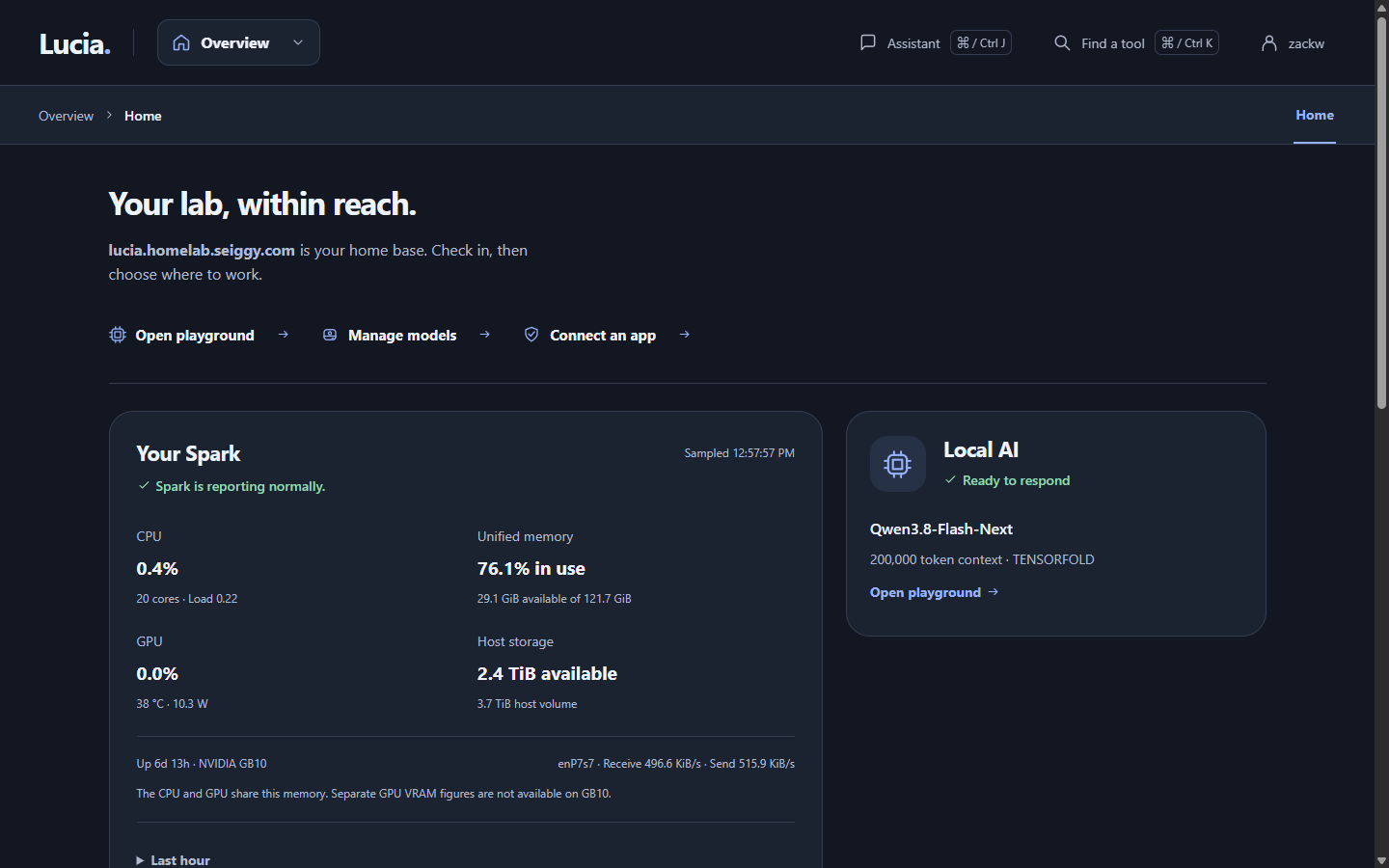
The Home page. It is the first thing you see after you sign in.
The pieces
A Lucia lab has one controller and any number of servers.
The Spark is the controller. It is an NVIDIA DGX Spark, a small computer with a powerful graphics chip, and it is the "brain" of your lab. Lucia's website, its sign-in system and its local AI all run on it. You install Lucia on the Spark once, from your own computer, using the setup app.
Servers are the other computers in your lab. Lucia installs Debian Linux on them over the network and then looks after them. They run your apps, such as photo libraries or media servers. See Servers and Adding a server.
Your network gear stays in charge of handing out addresses. Lucia works with a UniFi gateway for that and does not replace it. See Network.
You sign in with an account you create during setup. Lucia keeps your list of people and their access in one place, and the same account works for the web page and for logging in to your servers. See People and sign-in.
What you can do with it
- Install apps from a catalog and keep them backed up. See Apps.
- Put your lab under a domain you own, so addresses look like
photos.lab.example.comand browsers trust them. See Your domain. - Run AI models on the Spark and use them from other apps. See Local AI.
- Ask the assistant to look at logs, restart something or run a check every morning. See Assistant and Assistant jobs.
- Watch the health of the Spark and of each server. See Spark health and Monitoring.
- Install the Spark's own software updates when you choose to. See Updates.
What Lucia keeps private
Nothing is open to the internet unless you turn that on for a specific app. Your passwords stay in your lab. Lucia asks before it does anything that could lose data, such as erasing a disk or deleting an app.
Before you start
Lucia expects certain hardware and a UniFi network. Read Requirements first, and Limitations to see what is not finished yet. When you are ready, follow Your first hour.
If you are a DevOps engineer or a developer, the deployment overview and the architecture map go much deeper.