
Environment
Environment shows the WSL, kernel and session manager versions and every WSLc session on the machine.
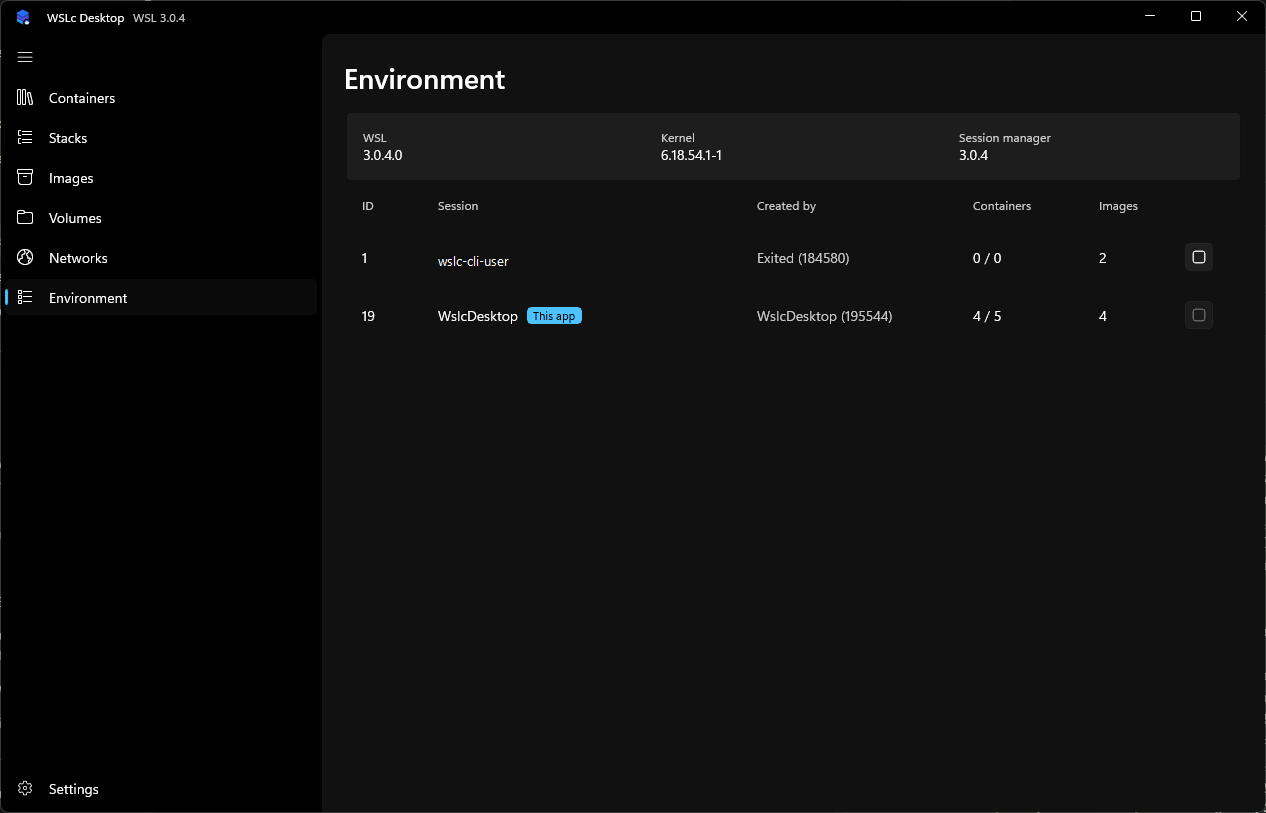
For each session you see its ID, name, who created it, how many containers are running out of the total and how many images it holds. The session this app uses is marked This app; its terminate button is disabled.
Terminate another session from the stop button on its row. Sessions are isolated: the default session used by the wslc command line (named like wslc-cli-<user>) has its own containers and images. To inspect the app's session from a terminal:
powershell
wslc --session WslcDesktop list --all
wslc --session WslcDesktop image list